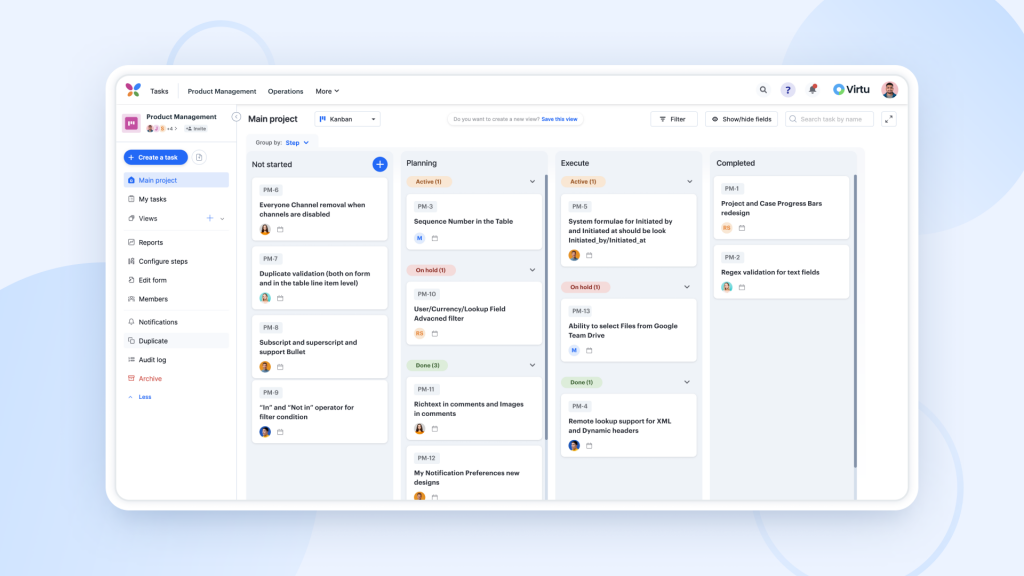
Top 5 Project Management Tools to Enhance Team Collaboration
In today's fast-paced business environment, effective collaboration is essential for successful project management. The right tools can help streamline processes, improve communication, and enhance overall team productivity. Here are the Top 5 Project Management Tools that can significantly enhance team collaboration:
- Trello - Trello is a visually appealing tool that utilizes boards, lists, and cards to organize tasks and projects. Its user-friendly interface allows team members to collaborate in real-time, making it easy to assign tasks and track progress.
- Asana - Asana helps teams coordinate their work by providing clear project timelines and task assignments. This tool promotes accountability and ensures everyone is on the same page.
- Basecamp - Basecamp excels in providing a centralized platform for team communication, file sharing, and project management. Its simplicity and straightforward design make it ideal for teams of all sizes.
- Monday.com - This tool offers customizable workflows and dashboards, allowing teams to manage projects in a way that suits their specific needs and preferences.
- Microsoft Teams - In addition to its collaboration features, Microsoft Teams integrates seamlessly with other Microsoft Office applications, making it a powerful tool for teams already using the Office suite.
How to Choose the Right Project Management Tool for Your Team
Choosing the right project management tool for your team is crucial for enhancing productivity and collaboration. Start by assessing your team's specific needs; this includes understanding the size of your team, the complexity of your projects, and the workflows currently in place. Consider creating a list of must-have features, such as task assignment, file sharing, time tracking, and reporting capabilities. Additionally, determining if your team requires integrations with other software, like email platforms or calendars, can significantly influence your choice.
Once you have a clear understanding of your requirements, research popular project management tools on the market. You can create a comparison chart by listing key features and their corresponding pros and cons. Consider seeking feedback from team members who will be using these tools, as their input can provide valuable insights. Lastly, take advantage of free trials; this allows your team to test out the software and evaluate its usability before making a final decision.
What Features to Look for in Project Management Software?
When searching for the ideal project management software, it’s crucial to consider features that align with your team’s workflow and project requirements. Start by looking for a system that offers task management capabilities, enabling you to assign, prioritize, and track tasks effectively. Collaboration features are also essential; tools like real-time chat and file sharing foster communication among team members. Additionally, ensure the software includes time tracking functionalities to monitor progress and productivity, as well as reporting tools that provide insights into project performance.
Another important aspect of project management software is its integration capabilities. The software should seamlessly connect with other tools your team uses, such as calendars, email services, and cloud storage, to enhance overall efficiency. Furthermore, user-friendly interfaces and customizable dashboards can greatly improve user adoption and satisfaction. Finally, consider the scalability of the software; it should easily accommodate your team’s growth and evolving project needs. By focusing on these key features, you'll ensure you choose a platform that supports your team’s success.